Your Book as a Paperback, Interior and Cover in One Click
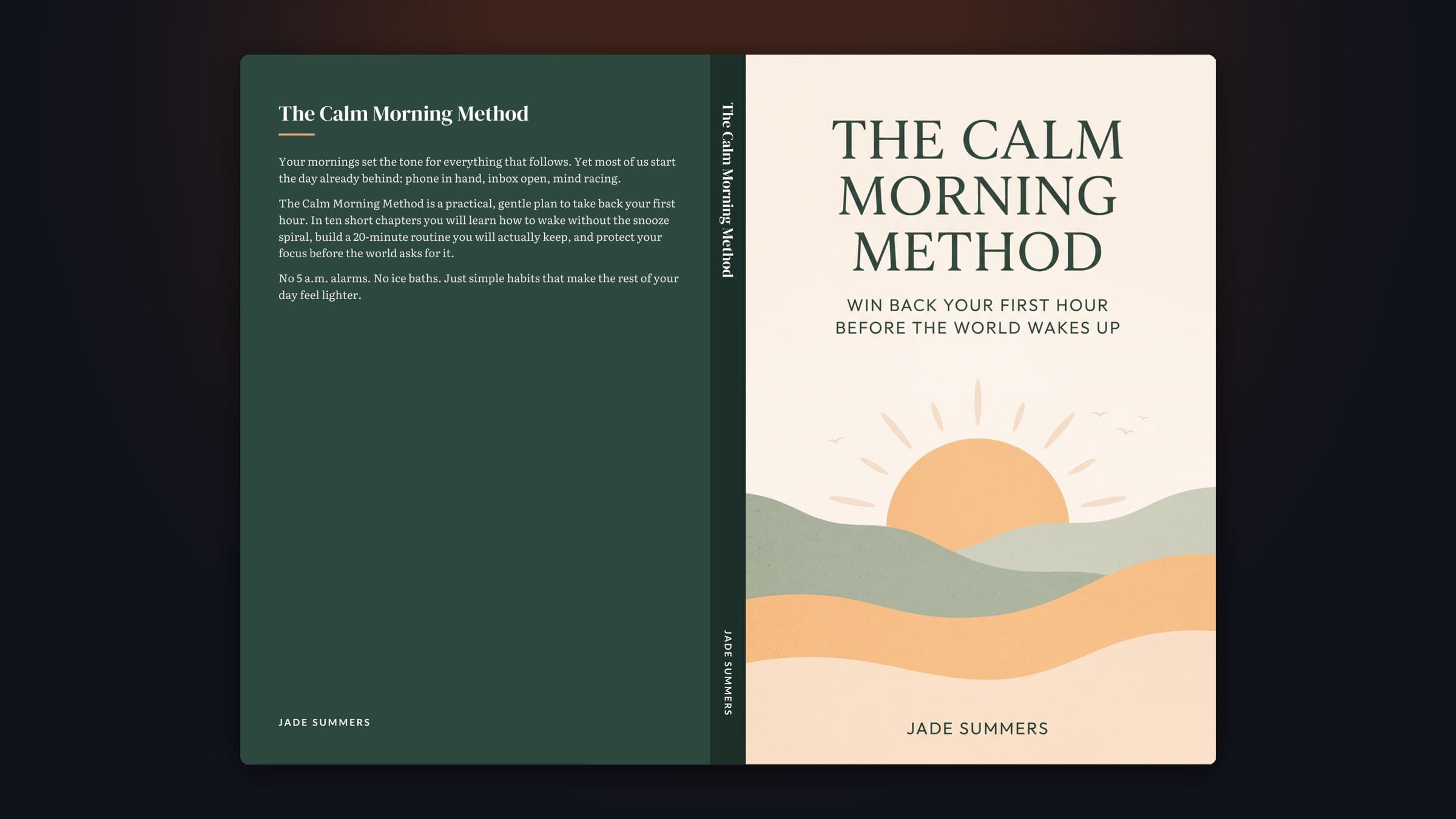
Every book you finish in BookBlitz Studio comes with Amazon KDP paperback files: a professionally typeset interior and a full wraparound cover with back-cover copy, a spine sized to your page count and the barcode area left clear.
Why paperback formatting trips up self-publishers
An eBook reflows to any screen. A paperback does not: KDP checks your trim size, margins, gutter, bleed, page count and the exact cover dimensions, and rejects files that are off by a fraction of an inch. The spine width alone depends on your page count and paper type.
BookBlitzAI does the maths for you. Pick a trim size and paper, and you get an interior with mirrored margins, a gutter that grows with the page count as KDP requires, chapters that start on right-hand pages, a linked table of contents, running heads and page numbers. The page count is always even.
The wraparound cover uses that exact page count: back cover with your store description, a spine sized for white, cream or colour paper (with the title once the book is thick enough for KDP to allow spine text), the front cover at 4K so it prints above 300 DPI, and 0.125 in of bleed on every side.
Everything You Need, Built In
Trim sizes
5 × 8, 5.5 × 8.5 and 6 × 9 in for books; 8.5 × 11 for planners and coloring books; 8.5 × 8.5 for picture books.
Correct gutter
Inside margins sized to the page count, mirrored on left and right pages.
Book typography
Chapter openers on right-hand pages, drop caps, running heads, page numbers and a table of contents.
Spine from page count
White, cream or colour paper thickness from KDP's published figures. Spine text from 100 pages.
4K front cover
Covers are generated at 4K, so they print above 300 DPI at every trim size.
Back cover copy
Your store description, fitted to the back panel, with the barcode area kept clear for KDP.
How It Works
Finish a book in the Studio
An eBook, a novel, a journal, a coloring book or a picture book.
Choose trim size and paper
The page count, spine width, full cover size and cover resolution update instantly.
Download both files
The interior PDF and the wraparound cover PDF, named for KDP.
Upload to KDP
Pick the same trim and paper, upload, and check the result in KDP's previewer before publishing.
Who Is It For?
Non-fiction authors
Readers who prefer print can now buy your guide in paperback. More formats, more sales.
Novelists
Fiction typography: indented paragraphs, "Chapter One" openers and chapters on right-hand pages.
Low-content publishers
Journals, planners and coloring books with the right margins and single-sided coloring pages.
Frequently Asked Questions
Can I format a manuscript I wrote elsewhere?+
Today the paperback files are made for books created in BookBlitz Studio. Uploading your own manuscript is the next feature on our roadmap.
How is the spine width calculated?+
From your exact page count and the paper type, using KDP's published thickness for white, cream and colour paper. The full cover size, including 0.125 in of bleed, is shown before you download.
Will KDP accept the files?+
The files follow KDP's published specifications for trim, margins, gutter, bleed and cover size. Always open KDP's previewer and check every page before you publish.
Where does the ISBN barcode go?+
KDP places it on the back cover, bottom right. That area is left clear on every cover we make.
Ready to Create Your First Best-Seller?
Join creators who turn ideas into published, sellable products with BookBlitzAI — no writing experience needed.
Make my paperback